New
Tutorial
25% off this week
Use AUTUMN26 at checkout. Ends Oct 13.
AUTUMN26

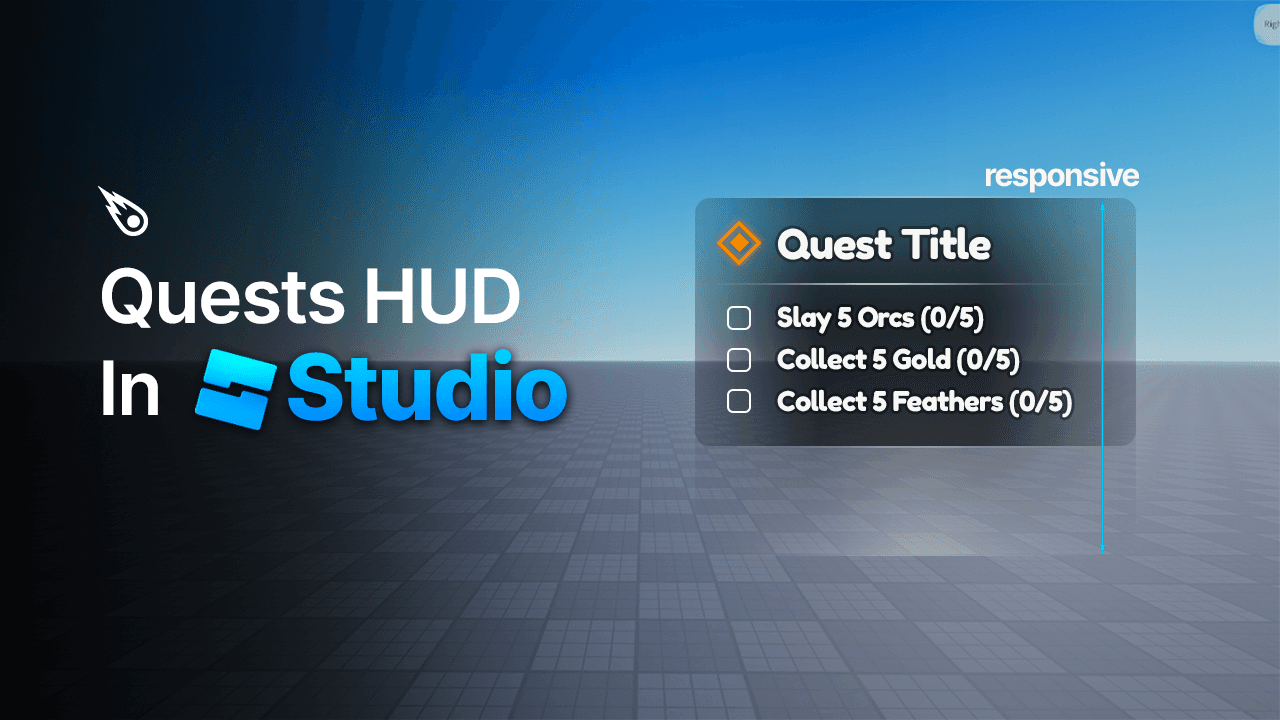
In this lesson, we'll be taking a look at how we can utilize AutomaticSize and SizeConstraints to construct a Quest Tracking HUD UI that is responsive and resizes according to the number of tasks in our list.
What we will cover:
When to use fixed and static frames
Creating a list that is responsive and resizes on Y according to the number of tasks
Creating scalable, modular and responsive layouts
Consider this a nice introduction to responsive designs, meaning that in the future, we will continue with the lessons and methods taught here with more complex designs.
Terms and Conditions: Please review our Policy Page thoroughly before making your purchase. By completing your purchase, you agree to adhere to the terms and conditions described therein.
If you enjoyed these design products, consider upgrading to Unlimited Access, to see more of what we have to offer, or browse our collection of premium design products.


What is gfxcomet?
We provide developers the highest quality design resources to save time and build your dream game project. We also have educational resources for aspiring designers.
Can I access my assets later?
Yes all assets are hosted on Gumroad and can be accessed via your Gumroad library once purchased.
What is the usage of these design products?
Our interface kits are designed, imported and scaled in Roblox Studio. With the launch of our new UI Systems, we are introducing fully animated and scripted assets with decoupled architecture and logic.
Are there any refunds?
As with the nature of digital products, refunds are not available.
Is customer support available if I encounter any issues or have questions?
Yes, you can easily contact support and expect a reply within 48 hours.
Anything else coming soon?
Yes. Assets are constantly being added and we are only continuing to grow exponentially.